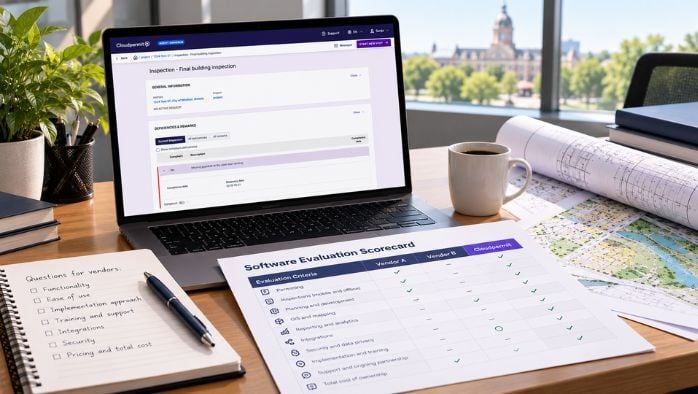
The annual price is only one number in the true cost of community development software.
Imagine two vendors submit proposals. One charges $12,000 annually, while another charges $16,000.
The cheaper option might seem like an obvious choice, until you discover that additional users, storage, workflow changes, and professional services all cost extra.
For municipalities evaluating permitting, licensing, planning, inspection, and enforcement software, the annual subscription is just part of the full story.
Understanding the total cost of ownership (TCO) means looking at what software will cost to implement, operate, maintain, and adapt over time.
That includes subscription fees, implementation, data migration, integrations, support, internal staff time, and the other expenses that come with running a system year after year.
How to Understand Exactly What You're Buying
Pricing models for community development software affect municipalities differently, depending on staffing, seasonal users, and cross-department adoption.
Direct costs may include:
- Annual subscription
- Modules or products
- User licences
- Storage
- Mobile access
- AI capabilities
- Reporting
- Inspection tools
- Payment features
While evaluating software vendors, dig into the full cost by asking for more than just the annual subscription fee.
Ask each vendor about their overall pricing model, including whether it's based on the number of users, population, transactions, modules, or something else.
Ask what drives the price up, what is included, and what is optional.
Why Implementation Costs Matter Too
Before you reach software go-live, you need a full accounting of the one-time implementation costs your municipality will bear to get there.
In addition to implementation services, vendors have different pricing models for other possible expenses such as project management, configuration, training, testing, deployment, and launch assistance.
Ask vendors whether implementation is fixed-price, estimated, included, hourly, or scope-dependent to understand what these one-time charges will add up to.
At the same time, keep municipal labor in mind. Staff will need to attend discovery sessions, training, workflow reviews, and testing, so include these when determining the true cost of adopting a new software platform.
Understand the Full Cost of Data Migration
Moving to new software often involves migrating property records, permits, inspections, licences, enforcement cases, and other information, making it important to understand how the new system will support ongoing property data management.
Ask software providers what they include for new accounts, what data formats they accept, who cleans the data, and how much history they will migrate.
Not every historical or municipal record needs to be migrated, and in many cases it's more cost-effective to archive older information than to import everything into a new platform.
'Integration Available' Doesn't Mean 'Integration Included'
There are many potential integrations for community development software, including GIS, payments, ERP and finance, plan review, document management, and APIs. However, setup, partner licensing, maintenance, and vendor professional services can also add costs.
While evaluating software options, ask who will own ongoing support to keep integrations working.
Look for concrete examples that matter for your teams, such as who will fix the connection if the GIS vendor changes something or a payment provider updates its API.
Understanding both initial integration costs and ongoing maintenance expenses will give you a clearer picture of each system's true cost.

What Happens When Your Process Changes Next Year?
Municipal workflows can change significantly because of legislation, fees, application requirements, department restructuring, process improvements, and staffing changes. Choosing configurable community development software that can adapt to changing municipal requirements is an important consideration for long-term costs.
Ask vendors:
- Can staff change forms?
- Can they update workflows?
- Can they create new application types?
- Can they modify templates?
- Can they adjust fees?
- Can they change email content?
Configurability is a long-term cost consideration, not just a software feature.
Understand How Software Costs Change as Adoption Grows
Evaluate how software pricing will change if more employees use the system, another department joins, seasonal or temporary staff need access, storage grows, application volumes rise, or additional municipalities share services.
As more people start using the software, additional fees, training costs, and ongoing support can push the true cost much higher than the initial number.
Why Staff Time Is Part of the Total Cost of Ownership
Maintaining community development software takes time, and the ongoing administrative work required to keep the system running can vary widely.
Some software requires more internal resources for:
- Servers
- Updates
- Integrations
- User administration
- Database reporting
- Configuration
- Security
- Troubleshooting
Ask department administrators and IT how many hours per month you'll realistically need to spend keeping the system working the way you need it to.
Don't Ignore the Cost of Your Current Processes
Beyond the costs of new annual subscriptions and related fees for a different system, don't forget the hidden costs of outdated municipal software, such as sticking with inefficient or incomplete current processes.
Identify time you're currently spending on:
- Duplicate data entry
- Searching for documents
- Answering status questions
- Manual reporting
- Processing incomplete applications
- Re-entering inspection notes
- Moving files between departments
- Maintaining spreadsheets
If five employees each spend two hours per week manually producing reports, that alone adds up to roughly 520 staff hours every year.
To measure the financial value of new software, estimate how much time your team currently spends on manual tasks, duplicate data entry, reporting, and applicant follow-ups. Then compare the potential improvements against what each system will cost.
Be clear about what kind of value you're counting. Freeing up staff capacity lets your team handle more applications, shorten review times, or focus on higher-value work, but it doesn't always translate into direct budget savings. Keeping capacity gains and budget savings separate gives decision-makers a more realistic picture.
Better software features, like AI-powered application assistants, can help applicants identify potential document issues before submission and support municipal staff during review, reducing avoidable back-and-forth.
How to Compare the Same Time Horizon for Every Software Vendor
To compare the true total cost of ownership for community development software from different vendors, analyze each one over the same five-year time horizon.
Five years is a useful starting point because it captures one-time setup costs alongside recurring fees, expected growth, and potential price increases at renewal. Whatever period you choose, apply it to every vendor to keep the comparison fair.
For Year 1, include:
- Subscription
- Implementation
- Migration
- Integrations
- Training
- Internal labor
Accounting for Years 2-5 should include:
- Subscription
- Support
- Storage
- Users
- Configuration changes
- Integration maintenance
- Training
- Professional services
Contract terms such as renewal increases, escalation clauses, and data export costs can significantly affect the overall price, so factor them into every year of the comparison.
Also, keep in mind that the lowest cost of ownership isn't automatically the best choice. Weigh the costs against important considerations like usability, functionality, staff capacity, applicant experience, and long-term fit.
Negotiate Pricing and Contract Terms Before You Sign
Pricing and contract terms for community development software may be negotiable, depending on the vendor. Before signing, find out which parts of a proposal have flexibility and which conditions will shape your costs after the first year.
Questions to raise during negotiations include:
- Are discounts or price protections available for multi-year agreements?
- Which services are included, and which are billed separately?
- Are training, support, or configuration hours part of the price?
- Will adding modules or users change the pricing?
- How much can the price increase at renewal?
Renewal terms deserve particular attention. A low first-year price means less if annual increases are uncapped or the contract renews automatically at a higher rate.
When reviewing a contract, check:
- Annual price increases or escalation clauses
- Renewal length and automatic renewal conditions
- Cancellation requirements and notice periods
- Data export provisions, including formats and fees
Data export terms are easy to overlook, but they determine how difficult and expensive it will be to move to another system later. Confirm how your municipality can retrieve records, in what format, and at what cost.
Understanding these conditions up front helps municipalities build accurate multi-year budgets, anticipate future expenses, and avoid unexpected costs later in the contract.
Compare Software Costs and Value Together
The lowest annual subscription price doesn't always mean the lowest long-term cost or best value for your municipality.
A meaningful software comparison accounts for implementation, migration, integrations, support, internal administration, contract terms, and future changes, as well as the cost of continuing inefficient processes.
By evaluating these factors over the same five-year period, municipalities can make more informed decisions about what each system will truly cost.
The goal is to choose software that delivers lasting value for municipal staff and the communities they serve.
If you're ready to evaluate your options, book a demo with Cloudpermit today to learn why hundreds of municipalities across the country chose our software to support their community development work.